
How to Manage a Trademark Portfolio (With Software)
Whether you're managing ten marks or ten thousand, the same principles apply: one record per mark, deadlines that compute themselves, and a workflow that doesn't depend on anyone's memory.
What does managing a trademark portfolio actually involve?
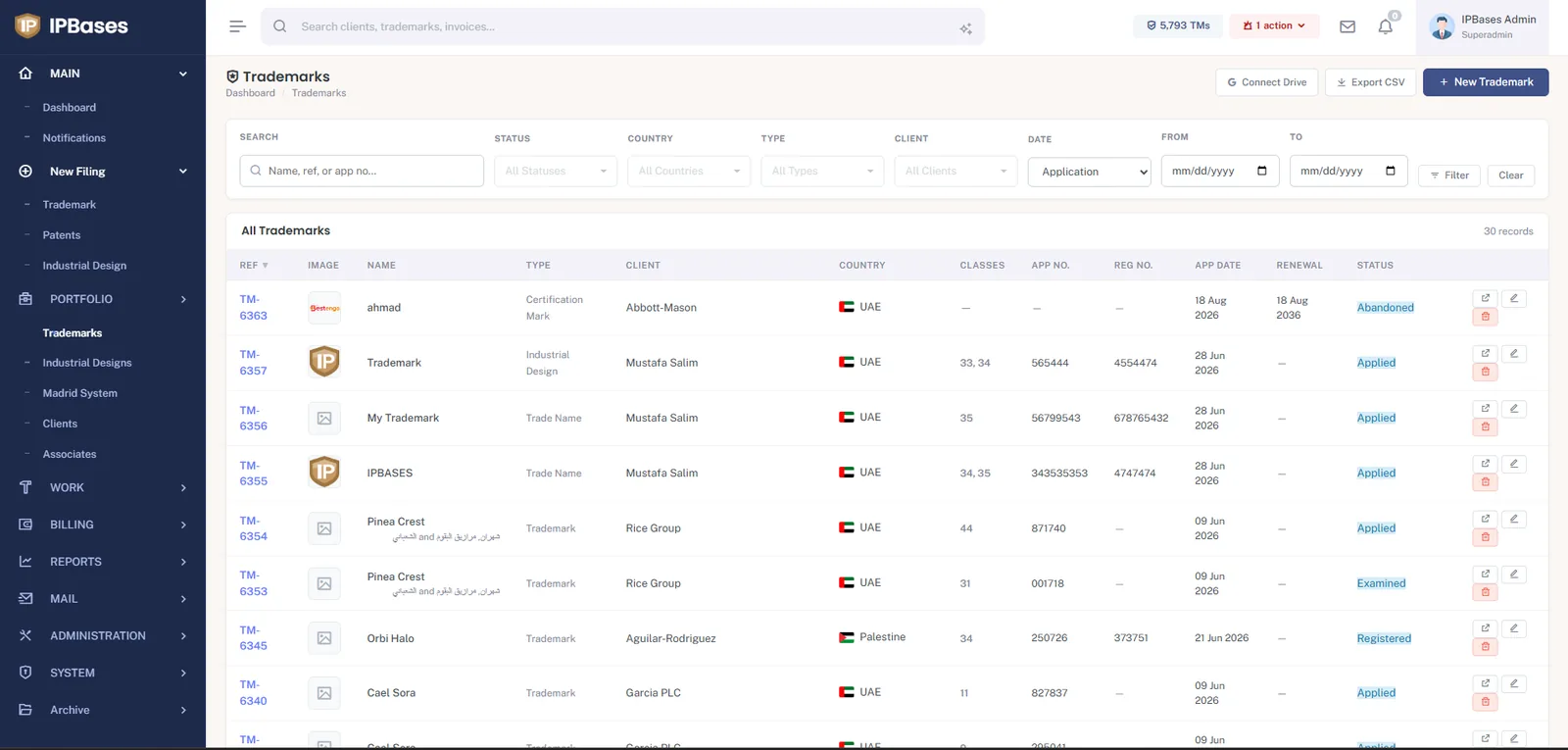
"Portfolio management" sounds abstract, but for trademarks it breaks down into a short list of concrete, recurring jobs: knowing what marks exist and their current status, filing new applications correctly, keeping documents attached to the right record, tracking every upcoming deadline, and being able to report on the whole thing to a partner or client on demand. Trademark portfolio management software and IP portfolio management software both refer to systems built to handle this list reliably as the portfolio grows.
The word "brand" shows up here too — brand portfolio management software and brand protection software typically describe the same underlying need from a marketing or in-house legal perspective rather than a law-firm one, but the mechanics are the same: one source of truth per mark, not five.
A basic framework for organizing a trademark portfolio
Four things every well-organized portfolio has
- One record per mark — name, class(es), jurisdiction, status, owning client, and any associate relationship, kept in one place rather than split across a filing system and a separate spreadsheet.
- A consistent status taxonomy — applied, published, registered, opposed, abandoned, cancelled — used the same way across every mark, so portfolio-wide reporting actually means something.
- Documents attached to the record — specimens, certificates, correspondence — not stored in a shared drive folder that has to be cross-referenced by hand.
- A single filing workflow used for every new application, so a new hire files the same way a ten-year veteran does.
Trademark filing workflow: what "good" looks like
A lot of firms still treat a new filing as four separate tasks in four separate tools: enter the mark in a tracker, prepare the invoice in accounting software, save documents to a shared drive, and email the client from a mail client. Each handoff is a place for something to be forgotten.
Trademark workflow software collapses this into one guided sequence: basic filing details, documents, an invoice generated from the same data, and a client notification — all created from a single pass, tied to the same record. This is sometimes described as IP workflow automation, though "automation" undersells it a little; the goal isn't to remove a human from the loop, it's to remove the redundant re-typing between steps.
Tracking IP assignments and ownership changes
Trademarks change hands more often than portfolio-tracking tools account for — a company gets acquired, a mark is sold, an applicant's legal entity is restructured. IP assignment software (or IP records management covering assignment history) needs to keep that change of ownership as part of the mark's permanent record, not as a note buried in an email thread. Without that, a portfolio report can show the wrong owner for a mark, or a renewal notice can go to a company that no longer holds the right.
The same logic that keeps billing routing correct when a client's associate relationship changes applies here: an assignment should be recorded as an event with a date, not a silent overwrite of the "owner" field. That way the portfolio's history stays intact even as ownership moves.
Reporting on a portfolio without rebuilding a spreadsheet every quarter
The other half of portfolio management is being able to answer questions on demand: how many marks does this client have, what's our collection rate this quarter, which jurisdiction has the most renewals coming up. If that report has to be manually assembled from several sources every time someone asks, the portfolio isn't really being "managed" — it's being reconstructed under pressure. A live dashboard view (jurisdiction breakdown, status breakdown, billing performance) turns that into something you can glance at instead of build.
Two external references worth bookmarking alongside your portfolio system: the Nice Classification for goods-and-services classes, and TMview for checking marks across registries worldwide.