
Trademark docketing software with two dates on every deadline.
The office’s hard deadline and the date your firm plans to act, side by side, with the person responsible. IPBases also works out what each person should do next.
What trademark docketing software is for
Docketing is the discipline of recording every deadline on every matter — office responses, oppositions, publication periods, renewals, patent annuities — and making sure someone acts before it passes. Trademark docketing software and IP docketing software replace the docketing spreadsheet and the shared calendar with deadlines that live on the record of the mark or patent itself.
Most missed deadlines are not caused by a wrong date. They happen because a date had no owner, because the internal reminder was the same day as the office deadline, or because a change was made without anyone noticing. IPBases is built around those three failure points: every action has a person, two dates, and an audit trail.
How deadlines are kept
Office deadline and internal date
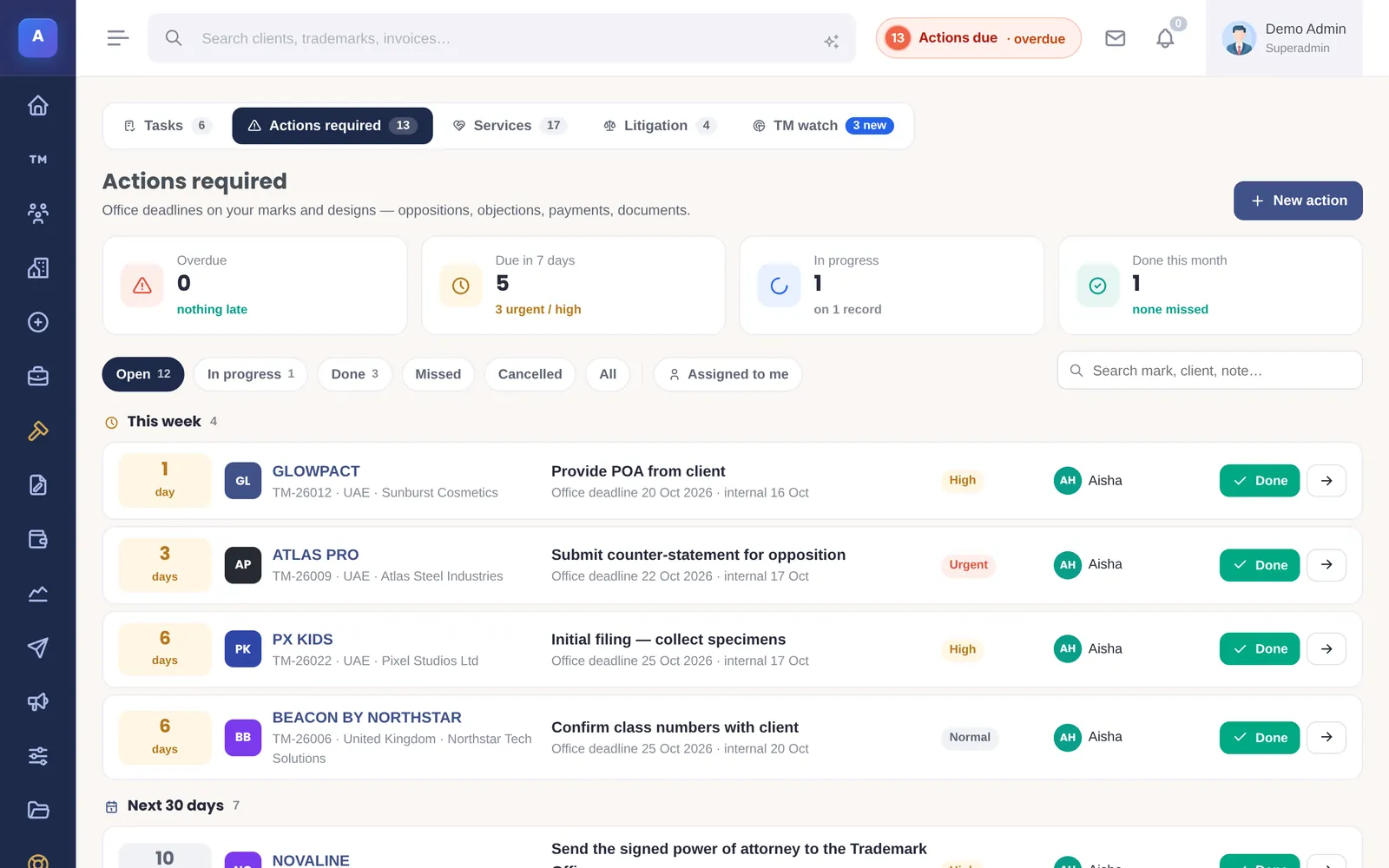
Every action carries both dates and a priority. The list shows what is overdue, due this week and in the next 30 days, and who is on it.
- Overdue, due in 7 days, in progress and done
- Snooze with a reason, or mark done in one click
- Assigned to a person, filtered to “assigned to me”
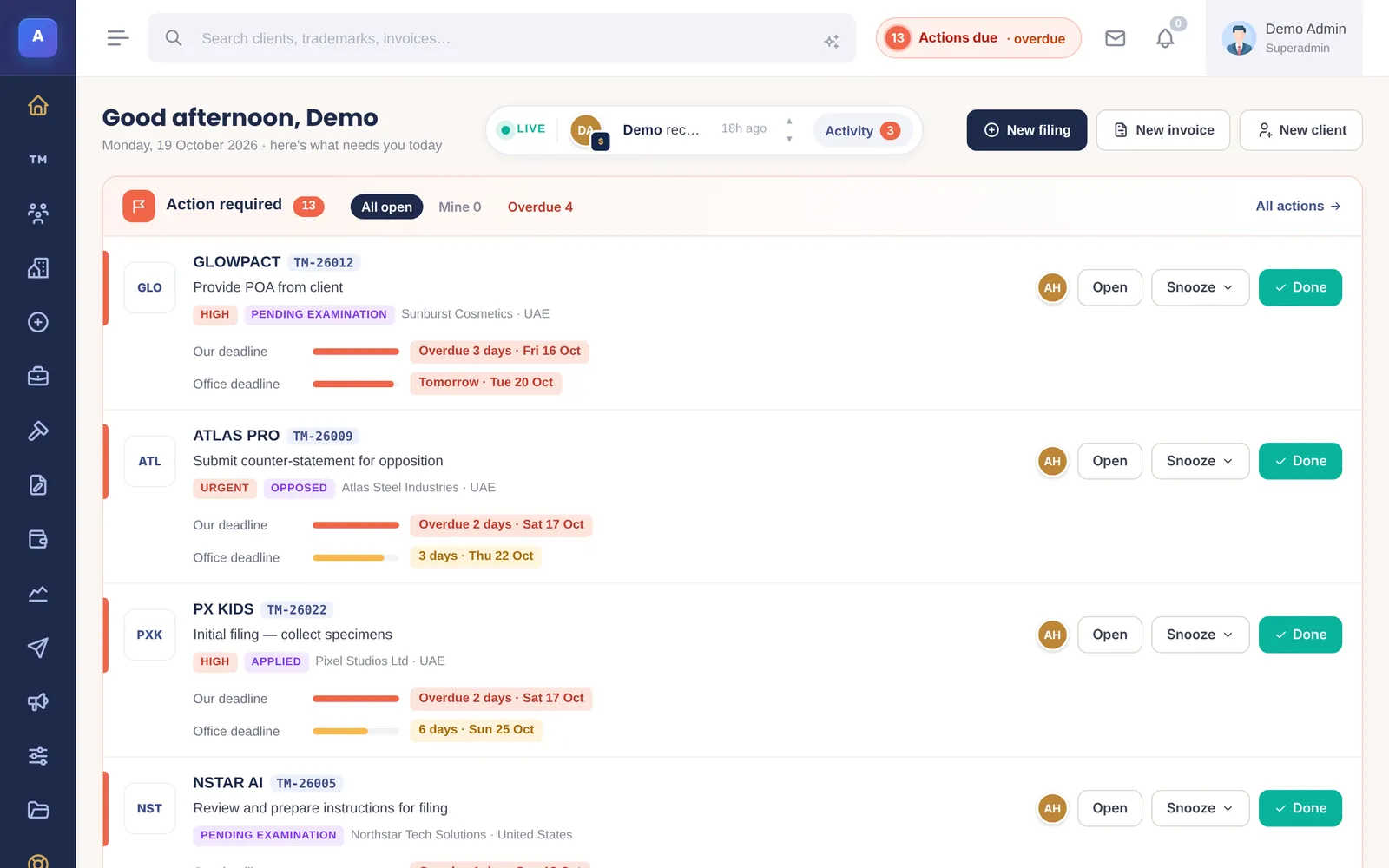
Each person’s next steps
IPBases reads each trademark’s record — stage, dates, files, emails sent and invoices — and lists what the person handling it should do next, with the reason.
- A notice the client has not received yet
- A publication or acceptance date that is missing
- A filing that has not been invoiced
- Dismiss a suggestion when it does not apply
Renewals a year ahead
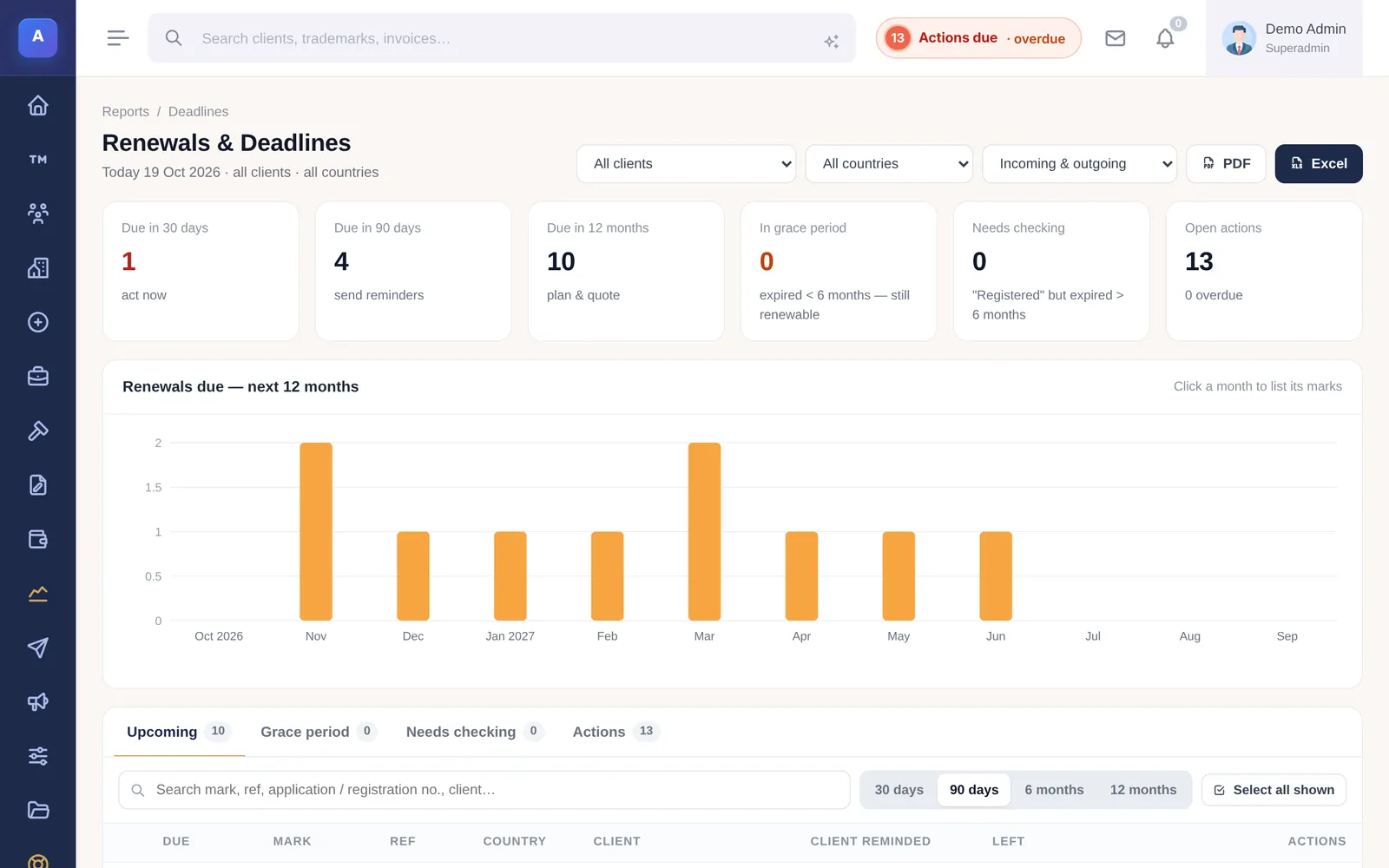
Renewals due in 30 days, 90 days and 12 months, the marks in their grace period, and those that need checking, on one report.
- A 12-month chart of renewals by month
- Grace-period marks in their own tab
- One grouped reminder per client
Docketing errors it is designed to prevent
From our guide to IP docketing best practices.
| Common docketing error | What IPBases does about it |
|---|---|
| A deadline with nobody responsible | Every action is assigned to a person and shows on their dashboard and in “assigned to me”. |
| Internal reminder on the same day as the office deadline | Two dates on every action: the office deadline and your own, earlier date. |
| A date changed and nobody noticed | The audit log records who changed which date, from what, to what, and when. |
| A step forgotten after filing | Next steps flags missing dates, notices not sent and filings not invoiced. |
| Renewals found too late | Renewals a year ahead, a grace-period tab and scheduled reminder emails. |
| The same mark filed twice | A duplicate warning on save for the same number, country and classes. |
Built so nothing slips
Activity on the record
Every action, email and upload is logged with the person and time.
Dashboard pill
An “Actions due” count in the header for every user.
Watch deadlines
Opposition deadlines from watch hits, with the days left.
Litigation dates
Hearings and filing deadlines on each case.
Patent deadlines
Office actions, priority dates and the next annuity date on every patent.
Audit log
Who changed a date, from what, to what, and when.
Docketing for trademarks and patents
The same actions list holds trademark and patent work, so a firm that handles both keeps one docket. Patent records carry their priority claims, office actions and next annuity date; see patent management software.
IPBases is installed on your own server — a standard cPanel host or a VPS with PHP 8 and MySQL or MariaDB — so client data stays where you host it. Stored passwords, API keys, client ID numbers and database backups are encrypted with AES-256-GCM using a key unique to your installation.
A one-time licence: Professional is $4,999 for one firm and up to 25 users, with one year of updates and support. Installation, setup, data migration from your spreadsheets or old system, and customisation are included. There are no subscriptions and no per-seat fees.
Questions firms ask
What is trademark docketing software?
Are deadlines calculated automatically?
Can a partner see everything that is overdue?
Does it handle patent docketing too?
Can we move our existing docket in?
Related
See IPBases with your own eyes
Open the live demo and click around a real IPBases with realistic data. Questions about your firm, your marks or your Excel sheet? Ask us on WhatsApp or by email.
Message us on WhatsApp or email [email protected].