
Trademark management software that runs the whole portfolio.
Every mark across every office on one record — classes, status, owner, documents, invoices and deadlines — and a filing form your team can complete without hunting for fields.
What trademark management software does
Trademark management software keeps a firm’s trademark portfolio — every application and registration, in every office — on one record per mark, and tracks what happens to each mark from instruction to renewal.
For a law firm or trademark agent, that means more than a list of marks. Each record has to connect the mark to its owner, to the correspondent who sent the work or the agent it was sent to, to its documents (filing receipt, power of attorney, certificate), to the notices sent to the client, and to its invoices. Good trademark portfolio management is the result: anyone in the firm can answer “where is this mark, what is due, and has the client been told?” in seconds.
From the list to the record
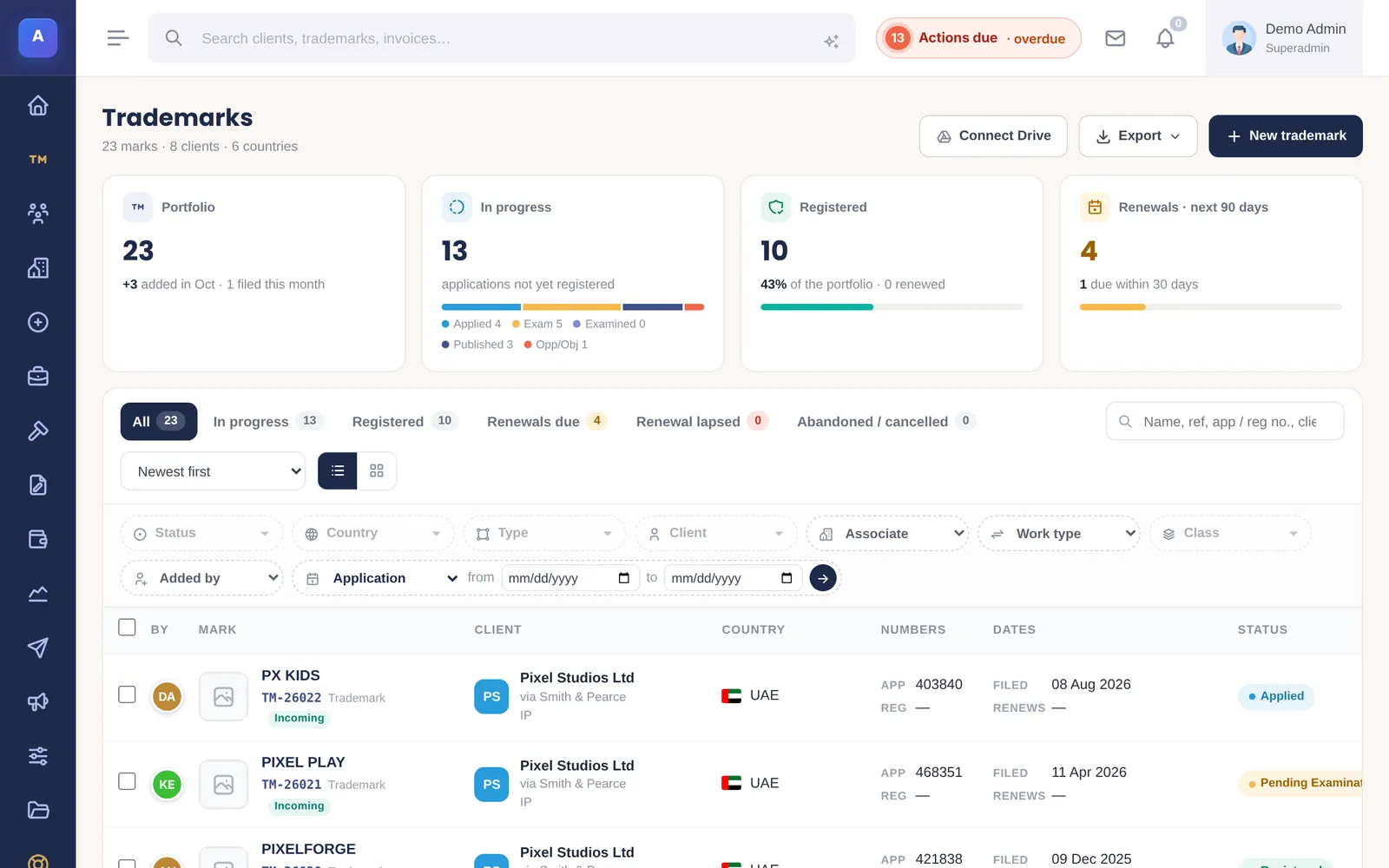
A portfolio you can read at a glance
Totals for the portfolio, filings in progress, registrations and renewals sit above a list that filters the way you think.
- Status, country, class, client, associate, type of work and who added it
- Colour-coded status from applied to registered and renewal due
- CSV and PDF exports for clients and partners
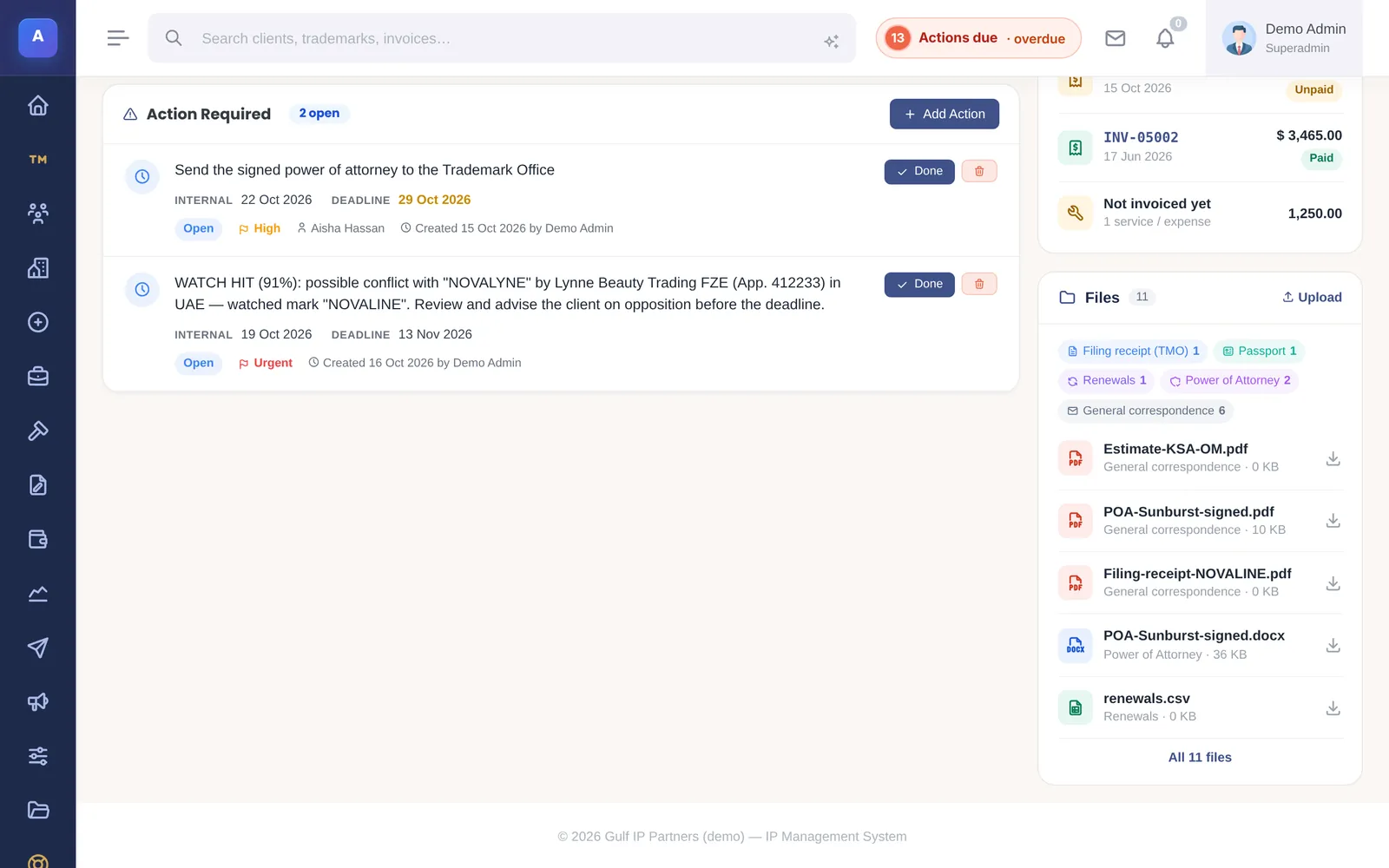
One page per mark
The record holds everything about the mark: open actions, invoices, files by category and the history of every change.
- Files sorted by category: filing receipt, power of attorney, certificate
- Invoices for the mark, paid or not, and work not yet invoiced
- Every change written to the audit log
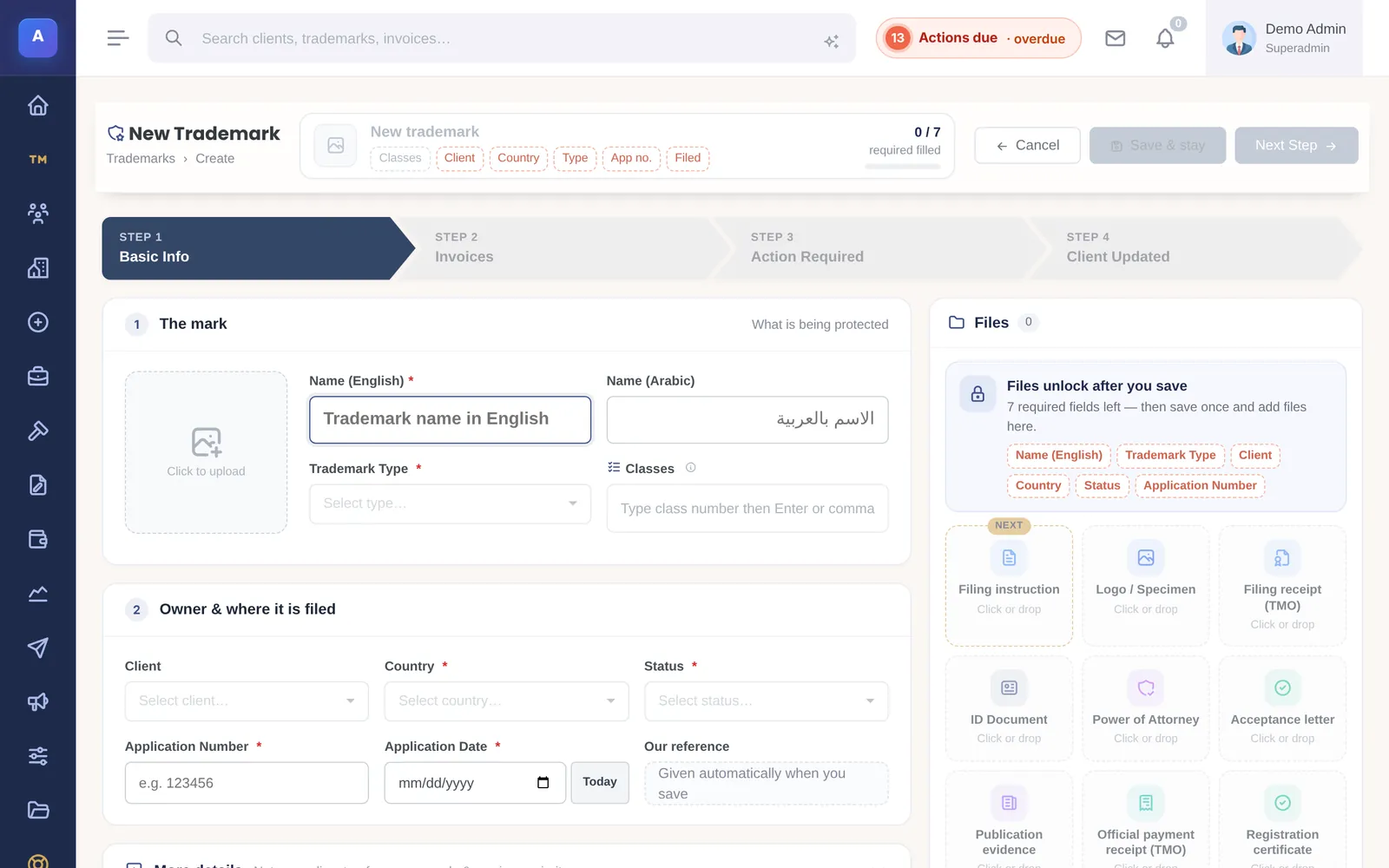
Filing in one form
Name in English and Arabic, logo, classes, client, country, status, application number and date. A counter shows what is still required; the files open as soon as the mark is saved.
- Nice classes 1–45 checked as you type
- National or Madrid route, incoming or outgoing work
- Warns if the same number is already on file in that country
- “Duplicate this trademark” to file the same mark in another country
The life of a trademark in IPBases
Each stage is a date on the record, and each can trigger a notice to the client.
Instruction
The mark is recorded with its owner, classes, country and the associate who sent it — and the duplicate check runs.
Filing
Application number and date go on the record; the filing is invoiced from its services; the client receives a filing notice.
Examination
Office actions become actions with the office deadline, your internal date and a responsible person.
Publication
The publication date and opposition period are recorded; watch hits from the gazette can become cases.
Registration
Registration number and date are recorded and a firm-branded registration certificate is generated.
Renewal
The renewal date drives reminders a year ahead, grouped per client or per associate.
Trademark portfolio management features
Statuses & history
Applied, examined, published, opposed, registered, renewed — with the date each happened.
Owners & applicants
Client, applicant details and the associate who sent the work.
Client notices
Filing, acceptance, publication and registration letters from templates, in English or Arabic.
Registration certificates
A firm-branded certificate generated from the record.
Renewals & maintenance
Renewal dates per office, grace periods and scheduled reminders.
Copy to another country
File the same mark elsewhere without typing it again.
Madrid & national routes
Each mark records whether it was filed nationally or through WIPO’s Madrid system.
Watch & oppositions
Similar marks from the gazette as watch hits, escalated to cases with stages.
Portfolio reports
By status, country and client, exported to PDF or CSV for the client.
Trademark management software vs. a spreadsheet
Many firms start in Excel. Our trademark spreadsheet guide explains when to stop.
| Spreadsheet | IPBases | |
|---|---|---|
| One record per mark | One row, many tabs | A page with actions, files, invoices and history |
| Duplicate filings | Found later, if at all | Warned on save: same number, country and classes |
| Renewal reminders | Someone filters by date | Scheduled reminders, one email per client |
| Client notices | Typed each time | Generated from the record, English or Arabic |
| Portfolio report for a client | Assembled by hand | Filtered and exported in a minute |
Built for firms that file in many countries
Mark names can be recorded in English and Arabic, notices and letters are written in either language, and invoices can be raised in the currency each client pays in. For practices in the GCC and Middle East, see trademark software for the GCC; for international registrations, the Madrid Protocol guide.
IPBases is installed on your own server — a standard cPanel host or a VPS with PHP 8 and MySQL or MariaDB — so client data stays where you host it. Stored passwords, API keys, client ID numbers and database backups are encrypted with AES-256-GCM using a key unique to your installation.
A one-time licence: Professional is $4,999 for one firm and up to 25 users, with one year of updates and support. Installation, setup, data migration from your spreadsheets or old system, and customisation are included. There are no subscriptions and no per-seat fees.
Questions firms ask
What is trademark management software?
Can we import our existing trademarks?
Does IPBases handle marks filed through Madrid?
Can clients see their marks?
Is it only for trademarks?
How much does it cost?
See IPBases with your own eyes
Open the live demo and click around a real IPBases with realistic data. Questions about your firm, your marks or your Excel sheet? Ask us on WhatsApp or by email.
Message us on WhatsApp or email [email protected].